
SaaS Integration Dependency: Risks and Best Practices for Managing Third-Party Services


A SaaS product can be working perfectly one day and face a serious business problem the next because an external service changes or stops responding. An API update can break a feature, a CRM outage can interrupt customer workflows, and a payment gateway failure can affect revenue. Analytics, authentication, email, and other third-party services can create similar dependencies.
Software decisions are becoming harder as businesses deal with cloud platforms, AI, legacy systems, cybersecurity requirements, integrations, and rapidly changing customer expectations. According to Intel Market Research, the global software consulting service market was valued at $110.3 billion in 2025, is projected to reach $118.9 billion in 2026, and could grow to $200.5 billion by 2034, representing a 9.2% CAGR. The Software Consulting Service Market Outlook 2026–2034 report highlights the growing need for expertise across software architecture, system integration, cloud migration, data analytics, AI implementation, modernization, and bespoke software solutions.
This growth is particularly relevant for SaaS products that increasingly depend on multiple external systems. As these connections become part of important business workflows, companies need to consider not only how integrations are built, but also how dependencies are managed when APIs change, services fail, or requirements evolve.
This is why saas development services for Integration dependency need to consider more than simply connecting systems. The right approach identifies critical dependencies, prepares the product for service failures, protects data and access, and keeps integrations maintainable as providers change.
What Is Integration Dependency in SaaS?
Integration dependency occurs when a SaaS product relies on an external system for a feature, workflow, or important business process. For example, an application may use a CRM to manage customer records, a payment gateway to collect subscriptions, or an API to exchange data with another platform.
An integration simply connects two systems. A critical dependency exists when that connection becomes necessary for an important part of the product to work properly. The difference matters because a failed optional integration may cause inconvenience, while a failed critical dependency can stop payments, interrupt customer workflows, or prevent users from logging in.
Dependencies can also become more important as a SaaS product grows. A CRM might start as an optional sales tool but later become the main source of customer information and a key part of daily operations.
Integration | What it does | What happens if it fails |
API | Exchanges data | Feature or data disruption |
CRM | Stores customer information | Customer records may not sync |
Payment gateway | Processes payments | Revenue collection may stop |
Analytics | Tracks user behavior | Business loses visibility |
Authentication | Handles login | Users may lose access |
Why Third-Party Dependencies Can Become a Business Risk
Third-party integrations are not automatically a problem, but they can become a business risk when important product functions depend on them. A payment gateway outage or subscription service failure can interrupt transactions and affect recurring revenue. CRM, email, authentication, and communication failures can also disrupt customer workflows, from account access to follow-ups.
Provider changes create another risk. An API may introduce new authentication requirements, deprecate an endpoint, impose stricter rate limits, change pricing, or update its policies. If the SaaS product is not prepared for those changes, a previously working integration may require urgent fixes.
There are also ongoing support costs. Repeated failures can lead to customer tickets, manual data correction, engineering work, and frustration. Custom software development services should therefore account for integration requirements, failure scenarios, and future provider changes during development rather than treating integrations as simple connections added at the end.
How to Identify Critical Integration Dependencies Before Development
Before development begins, create a dependency map of every external service the SaaS product will rely on. Start by listing each service and the feature or workflow that depends on it. Then identify what data enters and leaves the system, where that data is stored, and which system acts as the source of truth.
Next, classify each dependency as critical, important, or optional. For critical services, define what users should experience if the service becomes unavailable, such as delayed processing, limited functionality, or a temporary queue. Finally, consider whether each dependency could be replaced later if its pricing, policies, or technical requirements change.
This mapping should happen before architecture and development decisions are finalized. It helps teams design the custom software development solution around real dependencies instead of discovering important connections after the product is built.
APIs: The Core of SaaS Integration Dependency
APIs are one of the most common dependency points in SaaS because they allow applications to exchange data and receive updates from external systems.
REST APIs: SaaS applications use REST APIs to send and receive application data. For example, a SaaS platform may send customer details to a CRM.
Webhooks: Webhooks provide event-based updates. A CRM can notify the SaaS application when a customer record is created or updated.
Authentication: API keys, OAuth, tokens, and scopes control how the SaaS application accesses an external service. Incorrect or expired credentials can interrupt the connection.
Rate limits: Providers may restrict the number of requests an application can make. Reaching those limits can delay data transfers or temporarily stop requests.
Versioning: Providers can release new API versions that require changes to existing integrations.
Deprecation: Older endpoints may eventually stop working, forcing the SaaS product to migrate.
Data mapping: Different field names, formats, or data structures can cause incomplete, duplicated, or rejected data if they are not handled correctly.
How to Design SaaS Integrations for Failure
A well-planned SaaS integration should account for what happens when a third-party service does not respond. The goal is not to prevent every failure, but to keep the failure from unnecessarily disrupting users or business operations.
Timeouts: The application should stop waiting after a reasonable period instead of leaving users or processes stuck while an external service is unavailable.
Safe retries: Temporary failures can often be retried automatically. However, retries must be handled carefully so they do not create duplicate payments, records, or other transactions.
Queues and background jobs: Non-urgent tasks, such as syncing CRM data, can be processed in the background. This allows users to continue using the product without waiting for the external service.
Duplicate webhook protection: The same webhook event may arrive more than once. The application should recognize repeated events and avoid processing the same action twice.
Fallback workflows: Users should still be able to complete essential tasks where possible, even if a dependent service is temporarily unavailable.
Monitoring: A custom software development company should include monitoring that detects repeated failures, delays, and unusual error patterns so teams can respond before customers start reporting problems.
CRM Integration Dependency: Keeping Customer Data Consistent
CRM integrations can become difficult to manage when customer information moves between systems and the data does not remain consistent. A SaaS product needs clear customer/contact synchronization, accurate field mapping, and rules for handling duplicate records. It should also define data ownership, so teams know which system should be treated as the source of truth when information differs.
If the CRM is temporarily unavailable, the SaaS application should not lose the customer record or leave the process in an unclear state. The record can be stored in the SaaS system and marked for later synchronization. Once the CRM becomes available, the pending data can be processed.
Failed synchronization also needs conflict resolution rules. If the same customer is updated in both systems, the product should determine which change takes priority instead of creating another record or silently overwriting information.
Payment Gateway Dependency: Protecting Revenue-Critical Workflows
Payment integrations are different from many other SaaS connections because they directly support revenue-related workflows. The application needs to track payment authorization, subscription status, refunds, chargebacks, and other transaction states accurately rather than treating a payment as successful simply because a user reached a confirmation page.
Payment authorization: The system should receive reliable confirmation that a transaction was approved before updating the customer’s account or subscription.
Payment webhooks: Webhooks can communicate payment events, such as successful charges, failures, refunds, or subscription changes.
Failed payments: The application should record failed transactions clearly and avoid incorrectly activating or extending subscriptions.
Duplicate transactions: Payment workflows should account for repeated requests or events so the same transaction is not processed twice.
Refunds and chargebacks: These events can change a transaction’s status after the original payment, so account records need to reflect those changes.
Reconciliation: Payment records in the SaaS application should be checked against transaction records to identify mismatches.
Analytics and Other Third-Party Service Dependencies
Not every third-party dependency is critical to keeping the SaaS product running. Some services can fail while the core application remains available, but the business may lose important functionality or information temporarily.
Product and marketing analytics: If analytics services are unavailable, users may continue using the product, but teams can temporarily lose product-usage, campaign, or conversion data.
Authentication and email: Problems with these services can affect login, account verification, password resets, or important customer messages.
Notifications and communication tools: A failure may delay alerts, messages, or customer communications without stopping the main application.
File storage: If external storage becomes unavailable, users may be unable to upload, access, or retrieve certain files.
The key point is to understand the impact of each dependency. A failure does not always mean the entire SaaS product goes down; sometimes the product continues working while a specific business function or source of information becomes temporarily unavailable.
Security Risks of SaaS Integration Dependencies
Every external connection creates another point where information, credentials, and system access need to be protected. The security risk depends on what the integration can access and how that access is controlled.
API keys: Keys should be stored securely and not exposed through application code, logs, or client-side interfaces.
OAuth tokens: Tokens should be protected and limited to the access required for the connected service.
Permissions: Integration accounts should receive only the permissions needed for their specific tasks.
Webhook verification: Incoming webhook events should be verified so the application can distinguish legitimate events from unauthorized requests.
Secrets management: Credentials, tokens, and other sensitive configuration values should be managed separately from application code.
Encryption: Sensitive information should be protected while it is being transferred and when it is stored.
Third-party data access: Teams should understand what information an external service can access and limit that access where possible.
How SaaS Development Services Can Reduce Integration Dependency Risks
Professional development should address integration dependency at the architecture level, rather than treating each connection as a separate technical task. The goal is to make external services manageable even when they change, fail, limit requests, or return unexpected data.
Development area | Why it matters |
Integration architecture | Limits unnecessary coupling |
API management | Controls external communication |
Error handling | Reduces user disruption |
Monitoring | Detects integration failures |
Automated testing | Finds issues after changes |
Security controls | Protects connected systems |
Documentation | Simplifies maintenance |
Good saas development services for Integration dependency should therefore consider the full lifecycle of each external connection. That includes deciding which systems are critical, how data moves between them, and what happens when a service becomes unavailable.
Custom software development services can also account for provider changes before they become urgent problems. An API may introduce new authentication requirements, change its response format, enforce stricter limits, or retire an older endpoint. The application should be designed with these possibilities in mind rather than simply “connecting API A to system B.” This approach makes integration decisions easier to maintain as the SaaS product and its external dependencies change.
When Custom Software Development Makes More Sense for Integration-Heavy SaaS
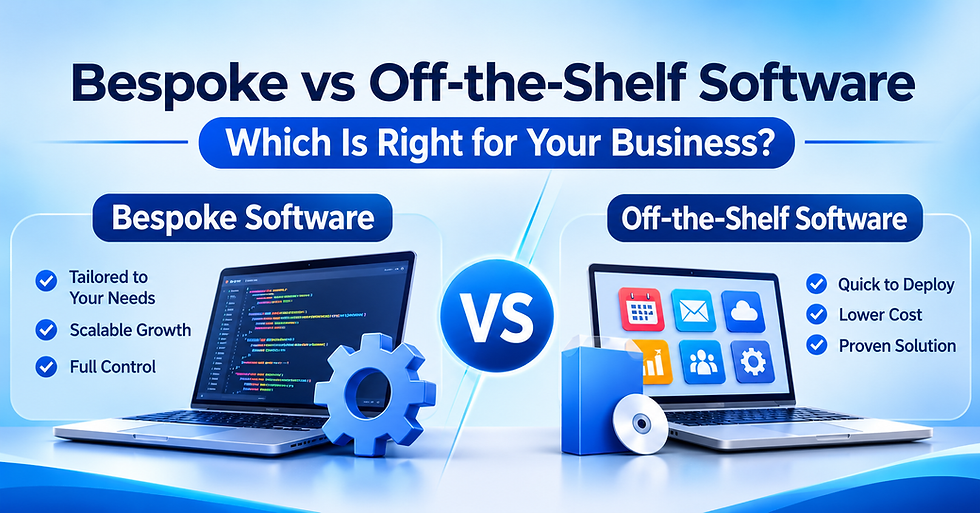
Custom development becomes practical when a SaaS product has workflows or integration requirements that standard software cannot handle without major compromises. It is not automatically the better choice; the right approach depends on how much control the product needs.
Approach | Suitable when | Limitation |
Off-the-shelf | Requirements are standard | Less control |
Custom | Workflows are unique | More responsibility |
Hybrid | Some features are standard | Requires careful architecture |
A custom software development firm may be a better fit when the product depends on multiple critical integrations, specialized data flows, or specific security requirements. Custom development can also give teams greater control over how APIs, customer data, payments, and other external services interact.
A hybrid approach can make sense when standard tools handle common functions while custom components manage unique workflows. This can reduce unnecessary development while keeping control over areas that matter most. Custom development is especially worth considering when integrations are expected to change over time, since the architecture can be designed around future updates rather than only current requirements.
Build or Buy Your SaaS Integrations?
There is no single approach that fits every SaaS product. The right choice depends on how critical the integration is, how much control is required, and how much maintenance the business can handle.
Direct integration: Connect directly with each external service. This provides more control over data and functionality, but the business also owns ongoing maintenance when APIs or requirements change.
Integration platform: Useful when a product needs to connect many standard services. It can reduce individual integration work, but the platform itself becomes another dependency.
Unified API: A unified API can simplify connections to similar providers through one interface. The trade-off is that provider-specific features may not always be available.
Hybrid approach: A custom software development company can use direct integrations for critical systems while using other approaches for less important connections. This can balance control, development effort, and ongoing maintenance.
How to Choose a Custom Software Development Partner
How to choose a custom software development partner for an integration-heavy SaaS product starts with more than checking general coding ability. The partner should understand how external systems affect data, workflows, security, and ongoing maintenance.
A suitable custom software development firm should have practical experience with:
API integrations and CRM systems
Payment systems and webhooks
Authentication and permissions
Error handling and monitoring
Automated integration testing
Security controls and documentation
Post-launch maintenance and API updates
Before selecting a partner, ask practical questions such as:
How will you handle third-party API failures?
How will you prevent duplicate webhook events?
Who will own integration monitoring after launch?
How will API changes be tested before deployment?
The answers should explain specific processes rather than simply confirming that the team has experience. This helps businesses assess whether the partner can manage integration dependencies throughout the product lifecycle, not just build the initial connections.
How to Choose a Software Development Company for an Integration-Heavy SaaS Product
Choosing a software development company for an integration-heavy SaaS product requires more than evaluating coding skills. Businesses should assess experience with integration architecture, APIs, CRM and payment systems, authentication, security, automated testing, monitoring, and post-launch maintenance.
Debut Infotech works on SaaS and custom software products where external systems can be part of core business workflows. Its development approach can account for API dependencies, data flows, security requirements, failure handling, and future integration changes.
A custom software development firm should be able to explain how these areas will be handled before development begins, not only after an integration problem appears.
Conclusion
Third-party integrations can affect far more than technical performance. A failure can interrupt revenue, customer workflows, data synchronization, security controls, or day-to-day maintenance. The goal of saas development services for Integration dependency is not to eliminate every external connection, but to identify which dependencies are critical and plan for failures, provider changes, and recovery.
Businesses should discuss these requirements early with a software development company, including integration architecture, dependency risks, monitoring, and maintenance responsibilities. Planning these areas before development can help create a SaaS product that remains manageable as its integrations and business requirements grow.
Frequently Asked Questions
1. What is integration dependency in SaaS?
Integration dependency occurs when a SaaS product relies on an external system, such as an API, CRM, payment gateway, analytics platform, or authentication service, for a feature or business workflow. If that service fails or changes, the connected SaaS functionality may also be affected.
2. How can SaaS businesses reduce third-party integration risks?
Businesses can reduce risks by identifying critical dependencies, using proper error handling, setting timeouts and safe retries, monitoring integrations, protecting API credentials, and preparing fallback workflows. Regular testing and documentation also make provider changes easier to manage.
3. What happens when a payment gateway integration fails?
A payment gateway failure can prevent customers from completing transactions or cause incorrect subscription updates. SaaS applications should use verified payment events, handle failed transactions and webhooks carefully, prevent duplicate processing, and reconcile payment records.
4. Should every SaaS integration have a backup?
Not necessarily. Backup or fallback mechanisms are most important for integrations that support critical functions such as payments, authentication, or essential customer workflows. Less critical services, such as some analytics tools, may only need monitoring and recovery procedures rather than a full replacement.
5. What should businesses look for when choosing enterprise web application development services?
Businesses should look for experience in API integrations, CRM and payment systems, third-party dependencies, security, data synchronization, failure handling, monitoring, and ongoing maintenance. These factors are especially important when an enterprise application depends on multiple external services. The Complete Guide of Enterprise Application Services for CTOs can help businesses understand how to evaluate these requirements before choosing a development approach.


Comments